HomePrintersBuy

Does the Action Fichero label printer work with LumenLabel on a Mac?

Yes, if it is the narrow Fichero D11s. This exact model has been tested with LumenLabel over USB and Bluetooth on a Mac. Action has sold more than one Fichero printer, so check the model name before selecting this profile.

D11s tested on real hardware over USB and BLE

Fichero D11s with its original packaging
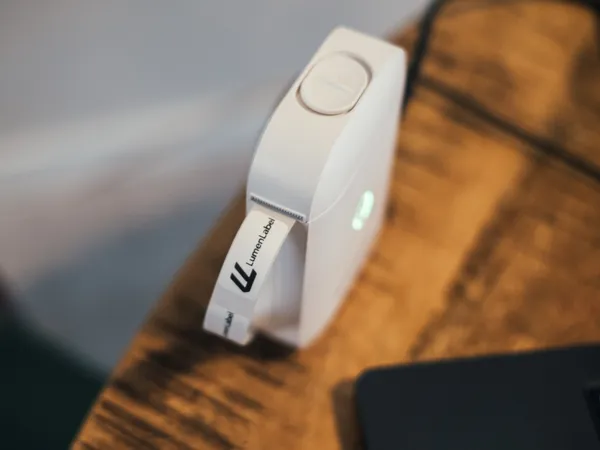
Fichero D11s, the narrow model sold by Action.

The printer said it was processing. Nothing came out.

Koert saw this small label printer for about ten euros and thought that if he was making software for label printers, a device this small should be able to work with it too. Not because someone needs to buy LumenLabel for this printer alone, but because the same person may own both a small and a larger label printer.

The mobile app worked well. Koert initially thought the USB-C port was only for charging, so he started with Bluetooth. It connected, but no label came out.

The first attempt from LumenLabel looked close to working. The Fichero connected and changed to processing. Then nothing moved.

Research by Hamza (0xMH) helped Koert identify this exact model correctly. The label then came out. Koert tried USB after all, and the D11s printed over that connection too.

The D11s uses continuous media. In LumenLabel, you set the width and length and the canvas adjusts to match. A larger screen makes a small label easier to lay out, and you can save the design as a local document or share it when you choose.

Which labels does the Fichero D11s use?

The proven print area is 96 dots wide, about 12 mm. LumenLabel includes continuous media and small die-cut sizes such as 12 × 30 and 12 × 40 mm. The backing can be slightly wider than the black print area.

This printer is for narrow name, cable, stock and organisation labels. It has no cutter and cannot use regular 4 × 6 inch shipping labels.

How do I know whether this is the right Fichero?

Look for the model name D11s on the printer or packaging. This is the small, narrow model with a roll about 12 mm wide.

A square Fichero with a roll around 56 mm wide or an A4 thermal printer is a different product. Do not select the D11s profile for those devices.

Why can status show cover open and no paper together?

When the cover is open, the D11s can also report that it is out of paper. Two parts have not failed at once.

Close the cover properly first. If Paper out remains, check that the narrow roll is loaded straight.

Connect the D11s in four steps.

  1. 01

    Load a suitable narrow roll and switch the printer on.

  2. 02

    Connect a USB-C data cable, or enable Bluetooth and keep the D11s near the Mac.

  3. 03

    In LumenLabel, select the recognised FICHERO or D11s entry.

  4. 04

    Choose the loaded size, check the 1-bit preview and print one small label.

!Not every USB-C cable carries data. If the printer only charges, try a known data cable and a direct USB port.

Fichero D11s questions

01Is this the Fichero mini pocket printer from Action?+

Yes, only when it identifies as D11s and uses a very narrow roll. Wider square printers and A4 models are different products.

02Do I need the Luck Jingle or Fichero app?+

No. You can use the D11s from LumenLabel over USB or Bluetooth. Designs stored only in the phone app are not imported automatically.

03Does the USB-C port carry print data?+

Yes, on the tested D11s. Use a cable that supports data; a charging-only cable will only charge the printer.

04Can I see battery status on my Mac?+

Yes. LumenLabel can show the D11s battery level while the printer is connected.

05Can I print shipping labels with this Fichero?+

No, not at the common 4 × 6 inch size. The print area is only about 12 mm wide.

Check the model, then print one label.

If LumenLabel reports D11s, select the narrow roll and try one design over USB or BLE. If you see another Fichero name or a wide roll, do not use this profile.