
DYMO LabelWriter 400 on your Mac. No driver, no DYMO software.
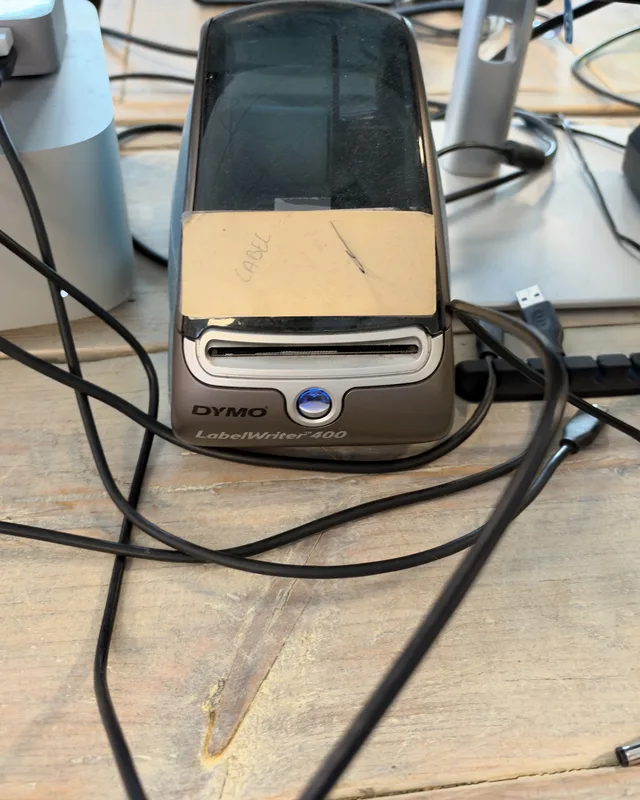
Yes, it works without DYMO Connect. LumenLabel speaks the classic DYMO printer language itself, so you do not need old DYMO software and drivers, or any Rosetta workaround (read more in macOS 27 and Rosetta). I spotted this LabelWriter 400 on a media manager's desk during a job, and ten minutes after plugging in my Mac a crisp sticker rolled out.
What I tested
- Mac, over USBWorksTested on 19 October with a 99012 roll.
Try LumenLabel for seven days with your own DYMO LabelWriter 400
Choose your computer
Found in the wild, on a media manager's desk
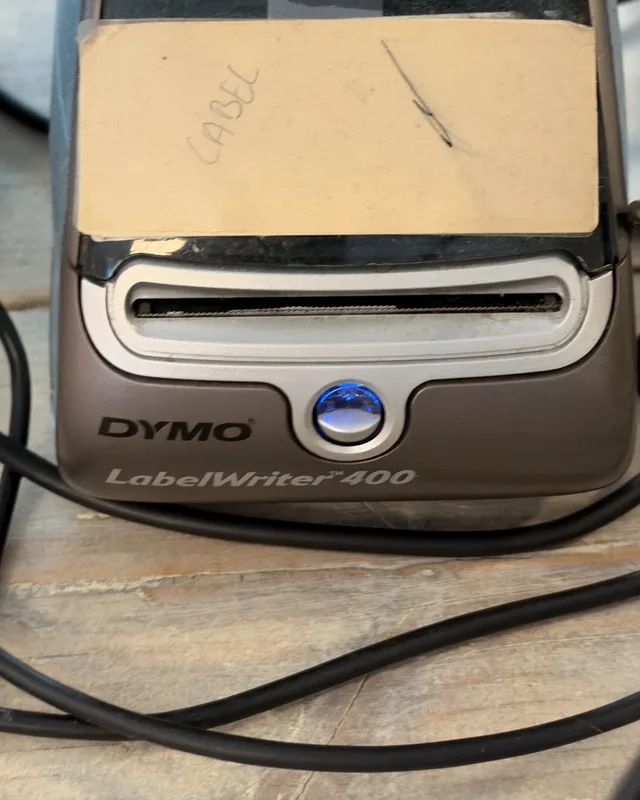
I ran into this LabelWriter 400 in the wild. I was on site for a grading job, walking around a bit, and saw it sitting on a media manager's desk. That is the person who prints lots of small labels and sticks them on drive boxes to keep track of where every drive came from.
I walked over and asked: "Hey, do you use this printer much?" "Not really, it is a terrible thing and the software barely works. Now I had to install something again." I knew about Rosetta on macOS 27 and mentioned you can install something to keep it going. "Yeah, it is still really unstable and poorly supported. Every time I want to make a label, I just hope it works."
An email about a 400 Turbo, a few days earlier
On 15 or 16 October, a few days before I saw that 400 on the desk, a user with a LabelWriter 400 Turbo emailed me. LumenLabel saw the printer, even showed a green dot when he paired it with the 450 Turbo profile, and then printing timed out after a minute.
Getting emails like that bothers me a lot. It is exactly the experience I had myself, and the one I want to get rid of. Printers should just work. Full stop. Back then there was no support button in the app yet, so I could not read out his printer properly. (There is now a "Send to Support" button on error messages, with a code. Nothing is ever sent automatically; it only goes out if you click it yourself.)
That email pushed me to overhaul classic DYMO support. I had already built the old DYMO language for the 450. Now I added automatic USB recognition, a safe status check before printing, six generic DYMO profiles, a 156-character ESC reset beforehand, and a 15-second timeout with a clear message. So by 19 October, when I spotted the 400, I was already prepared.
Ten minutes on my Mac, and a crisp sticker
I asked the media manager: can I hook up my laptop for ten minutes? On 19 October 2026 I plugged my Mac into the LabelWriter 400 over USB, with a 99012 roll loaded.
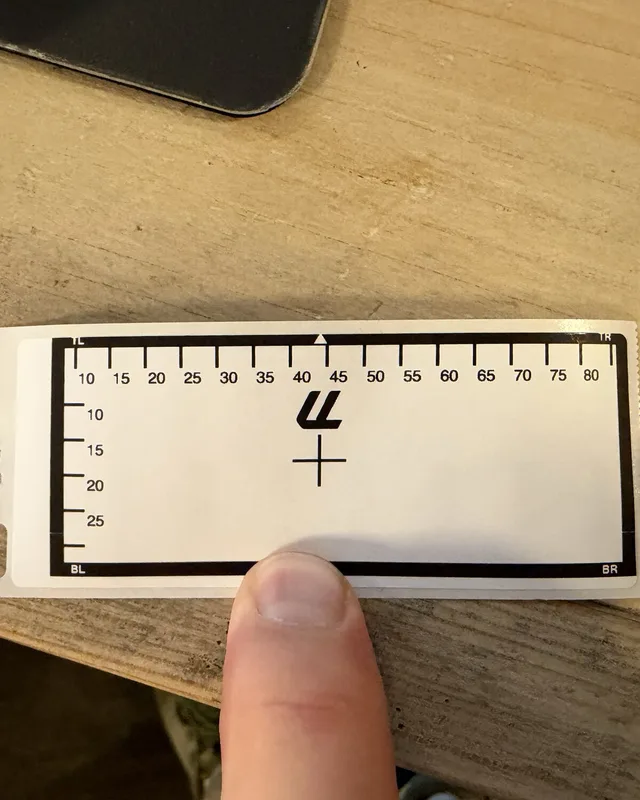
Within those ten minutes I had read out the printer and printed a setup test print, a 36 × 88 mm test label, a custom sticker with a LumenLabel QR code, and a few rulers to check the margins. It printed cleanly right away. I told the media manager: whenever you need to print again, let me know and I will help you out.
In ten minutes it did everything I wanted. That was the moment I felt LumenLabel getting more mature and more stable as new printers are added. That experience also got me building a readout tool inside the app so I can gather even more information in ten minutes when I run into a printer on the road, and I am still keeping an eye out for a cheap 400 of my own.
Does the DYMO LabelWriter 400 work without DYMO software or Rosetta?
Yes. Trying to keep an older DYMO running on a modern Mac usually means juggling old DYMO software, legacy drivers, or a workaround via macOS 27 and Rosetta. That is the exact headache the media manager was dealing with.
LumenLabel talks directly over USB in the classic DYMO printer language. Since version 0.6.7, the app recognizes the LabelWriter 400 automatically by its USB ID and selects the classic DYMO profile with a 57 mm print head. Plug in the cable, pick your roll and print.
LumenLabel runs on Mac and on Windows. The 400 speaks the same DYMO printer language as the LabelWriter 450 Turbo, which I also tested on Windows.
Which rolls fit? (And no label chip)
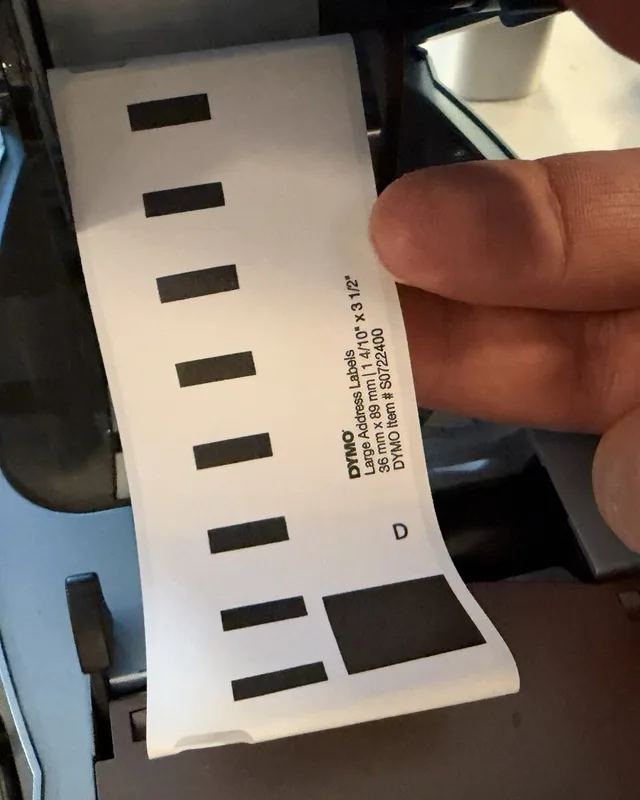
The LabelWriter 400 is a 300 dpi direct thermal printer with a classic 672-dot print head (57 mm wide). Any roll of 62 mm or narrower fits. LumenLabel includes the same roll list as the 450 series, including the tested 99012 Large Address (36 × 89 mm), 99010, 99014 and 99015.
This model has no label chip, so third-party rolls work fine and you pick your roll size yourself during setup. During my own test I could not scroll far enough down the list to find my label number. I fixed that right away in version 0.6.7: you can now scroll all the way through the list and search by millimetres too.
Alignment and darkness on the LabelWriter 400
During the 19 October test on a 99012 roll, alignment looked off by roughly 1.3 mm (measured from a slightly angled photo). In version 0.6.8, the classic DYMO driver got per-roll start positions based on DYMO's own table. If a label is still slightly off on your roll, you can nudge X and Y in the printer settings.
For darkness, LumenLabel offers four levels (light, medium, normal and dark), the same as on the 450 series. If a label comes out blank, check that the roll is loaded with the printable side facing the print head and fed far enough in.
The LabelWriter 400 at a glance
- Print technology
- Direct thermal, no ribbon
- Resolution
- 300 dpi
- Print head
- 57 mm wide (672 dots)
- Labels
- Rolls up to 62 mm wide, such as 99012 (36 × 89 mm)
- Label chip
- None, third-party rolls work too
- Connection
- USB
- Profile
- Classic DYMO profile, automatically recognized from version 0.6.7
- In LumenLabel
- Four darkness levels (light, medium, normal and dark) and adjustable X/Y position
Connect in four steps
- 1
Connect the LabelWriter 400 to your Mac or Windows PC over USB and switch it on. You do not need old DYMO software or a driver.
- 2
Load a roll with the printable side facing the print head and feed the first label in until the printer grabs it.
- 3
Open LumenLabel and add the printer. The app recognizes the 400 automatically as a classic DYMO.
- 4
Pick your roll size (or search by millimetres) and print one test label to check the position.
Questions about the LabelWriter 400
Do I need DYMO Connect for the LabelWriter 400?
No. LumenLabel speaks the classic DYMO printer language itself over USB. You do not need to install DYMO Connect or a DYMO driver.
Do I need old DYMO software or Rosetta for the LabelWriter 400?
No. LumenLabel speaks the classic DYMO printer language itself over USB. You do not need old DYMO drivers or Rosetta workarounds. You can read more in macOS 27 and Rosetta.
My LabelWriter 400 used to show up, then refused to add. Does it work now?
Yes. Since version 0.6.7, LumenLabel recognizes the LabelWriter 400 automatically by its USB ID and picks the classic DYMO profile with a 57 mm print head.
Can I use third-party labels in the LabelWriter 400?
Yes. The 400 has no label chip. You pick your roll size yourself in LumenLabel, and if your roll has no DYMO number you can search by millimetres.
My label comes out blank from the LabelWriter 400. What should I check?
First check that the roll is loaded with the printable side facing the print head and fed far enough in. In LumenLabel you can also pick from four darkness levels (light, medium, normal and dark).
Can I share the LabelWriter 400 with a second computer?
Yes. If it is connected over USB to a Mac or Windows PC, turn on sharing in LumenLabel and print from a second computer on the same network. The steps are in Share a printer.
Print one label with your own LabelWriter 400
Try LumenLabel for seven days on your own Mac or Windows PC, with your own roll. If the first label comes out sharp and straight, your old 400 is right back in business.