
Seven label printers tested in one day at ICTWebSolution.
I connected and tested all seven of Kay's printers, over USB, his network and wifi. One had suddenly rolled out 6 metres of blank tape while we were away for a moment, another cut off part of the label. I really had a lovely day and learned a lot. And Kay supports me really well, with promotion and very focused feedback.
What I tested at Kay's
- DYMO LabelWriter 550 Turbo, over USBWorksCut off part of the label that day; fixed since LumenLabel 0.6.8.
- DYMO LabelWriter Wireless, over his wifiWorksRuler over the network on an 11353 sheet.
- Brother PT-E550W, over USBTwo neat labelsFirst fed tape through without printing; with Brother's own command order it printed two neat labels.
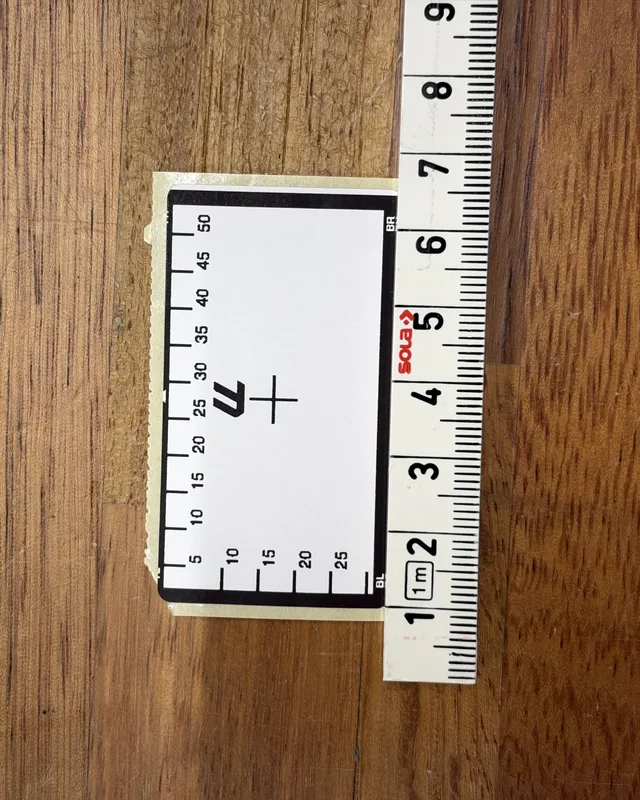
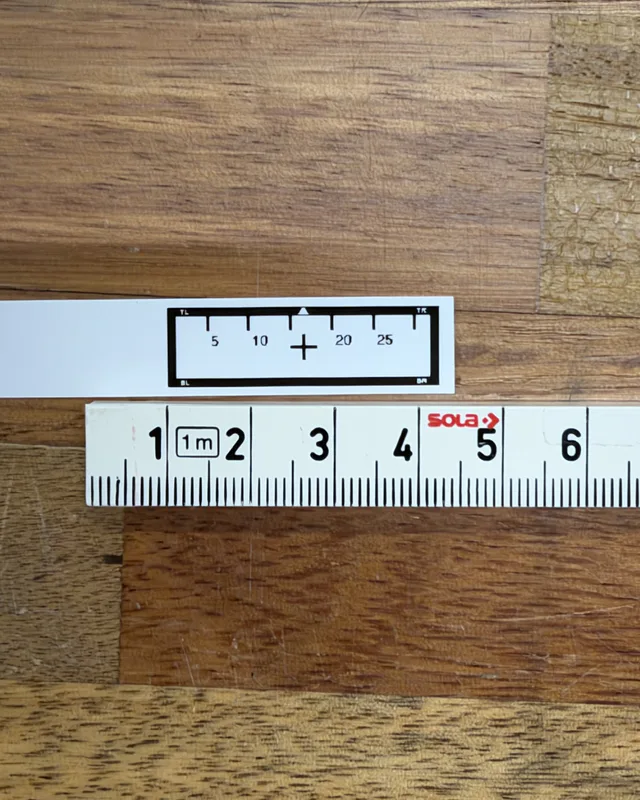
- Brother PT-P750W, over wifiWorksRuler on 12 mm tape.
- Brother QL-1110NWB, over USB and networkWorksAfter reseating the roll.
- Zebra ZD410, over USB and networkWorksAlso setting a fixed IP address from LumenLabel.
- Zebra GK420d, over the networkWorksRuler on a 100 × 150 mm label.
Try LumenLabel for seven days with your own printer
Choose your computer
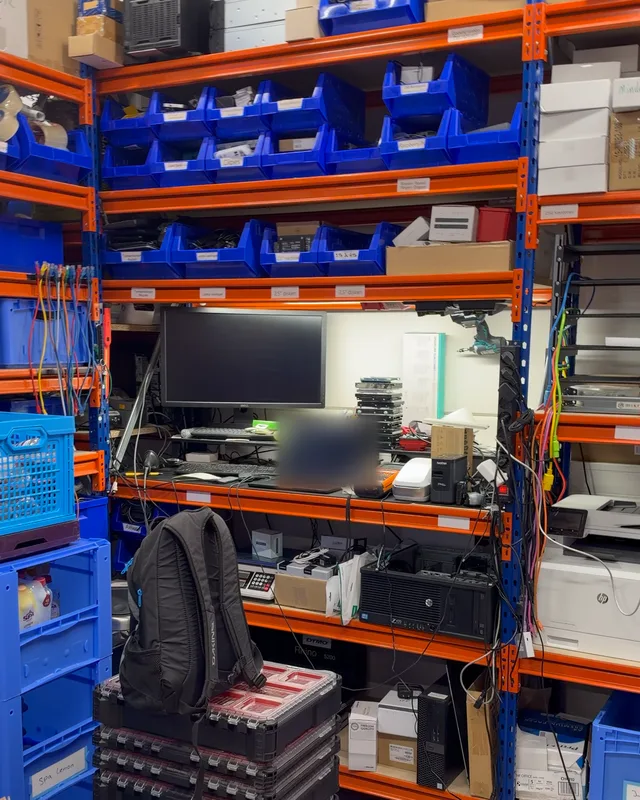
A beautiful location with seven printers
I visited Kay at ICTWebSolution. It is a beautiful location, with a lovely office and great sandwiches. Cabinets full of blue boxes, a desk, a workbench and a stock room. Everything was just well organised. Really impressive actually.
ICTWebSolution B.V. handles network installation, wifi, IT management, custom websites, graphic design, hosting and e-mail, calling itself specialists in solutions with measurable results. Kay had already been trying LumenLabel before my visit and is a beta tester.
He had seven label printers waiting: a DYMO LabelWriter 550 Turbo, a DYMO LabelWriter Wireless, a Brother PT-E550W, a Brother PT-P750W, a Brother QL-1110NWB, a Zebra ZD410 and a Zebra GK420d. He uses one printer per label size or job. They run for his stock, the occasional shipping label, and stickers with an access point number. I actually found that impressive. I get it too. Swapping rolls every time is just a hassle. With LumenLabel you switch labels easily: click, click, done.
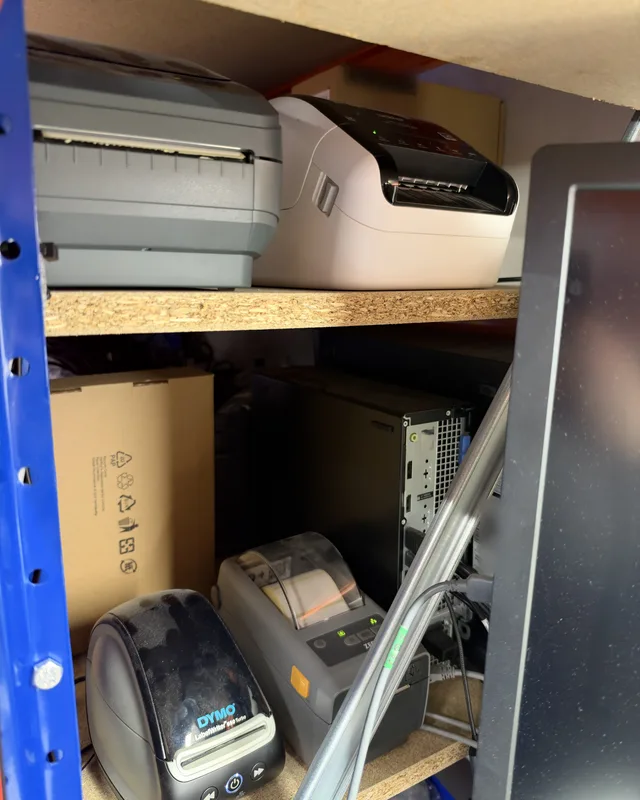
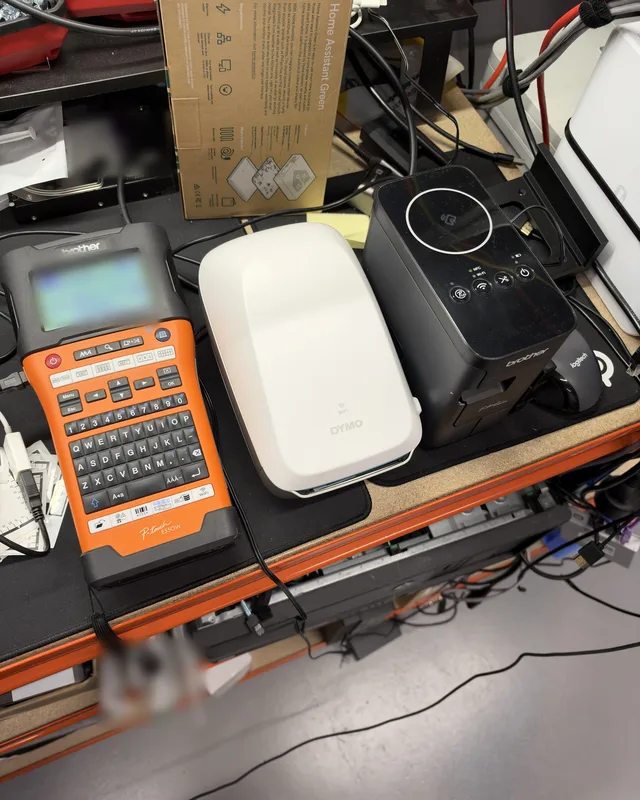
Connecting all seven over USB, network and wifi
I connected all seven printers at top speed. Over USB, over his network and over wifi. For each printer I printed test labels and tried to read out whatever I could find.
The Zebra GK420d printed a ruler on a 100 × 150 mm label over the network. The Zebra ZD410 worked over USB and over the network. Setting a fixed IP address and switching it back to automatic from LumenLabel worked too.
On the Brother QL-1110NWB, the first print gave an error. The roll was sitting on top of the sensor. Once the roll was back in place, it printed fine over USB and over the network. The DYMO LabelWriter Wireless printed a ruler on an 11353 sheet over his wifi, and the Brother PT-P750W printed a ruler on 12 mm tape over wifi.
Six metres of tape from the Brother PT-E550W
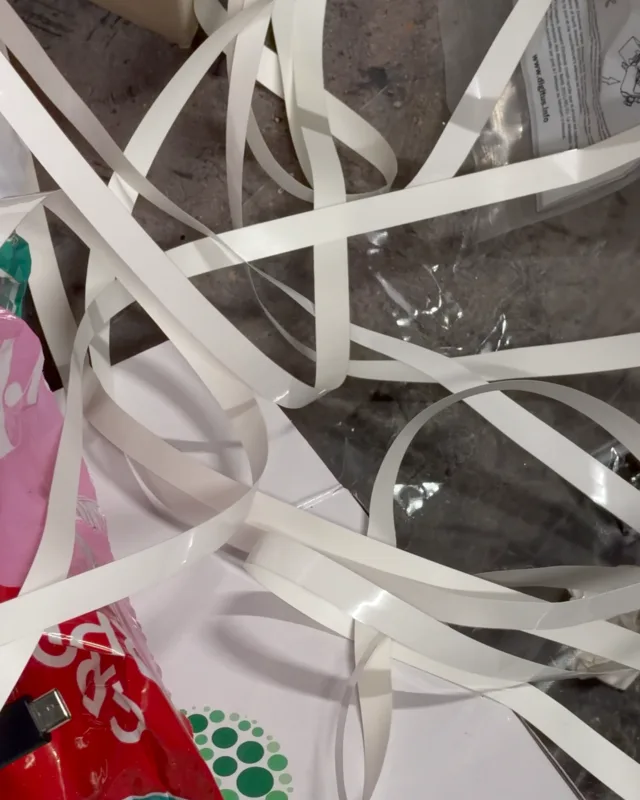
Something odd happened with the Brother PT-E550W over USB. A few times only a blank strip of tape came out. I could stop it every time, and then I cut it off at around 12 cm. But while we were away for a moment, the test just kept running. When we came back, 6 metres of label had suddenly rolled out. With nothing on it.
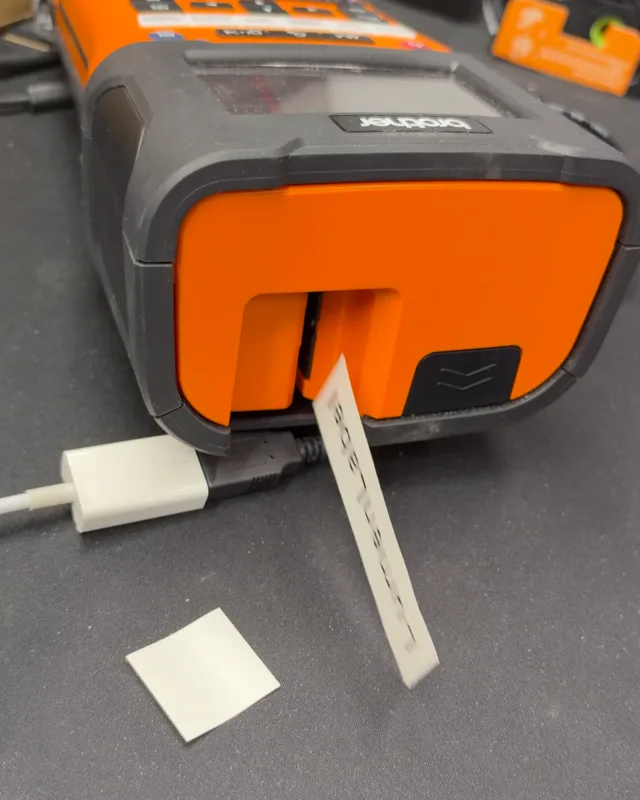
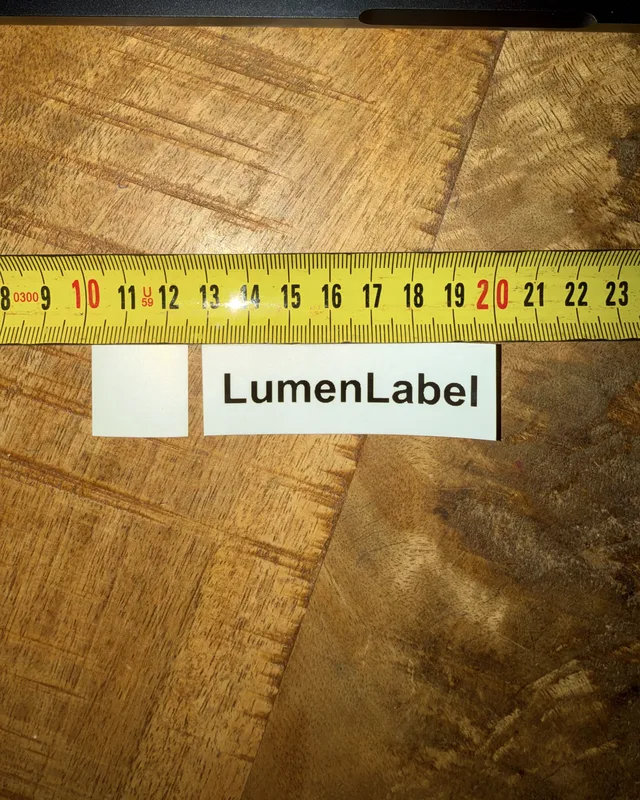
With Brother's own order of commands, it suddenly worked. Two neat labels came out, one with a frame and one saying "LumenLabel". And it cut them itself.
On the Brother PT-E550W you can choose between a full cut and a half cut. A full cut slices a label off completely. A half cut only cuts through the sticker between two labels, so you can peel them off easily. That half cut is really worth a lot. The Brother PT-P750W can do it too.
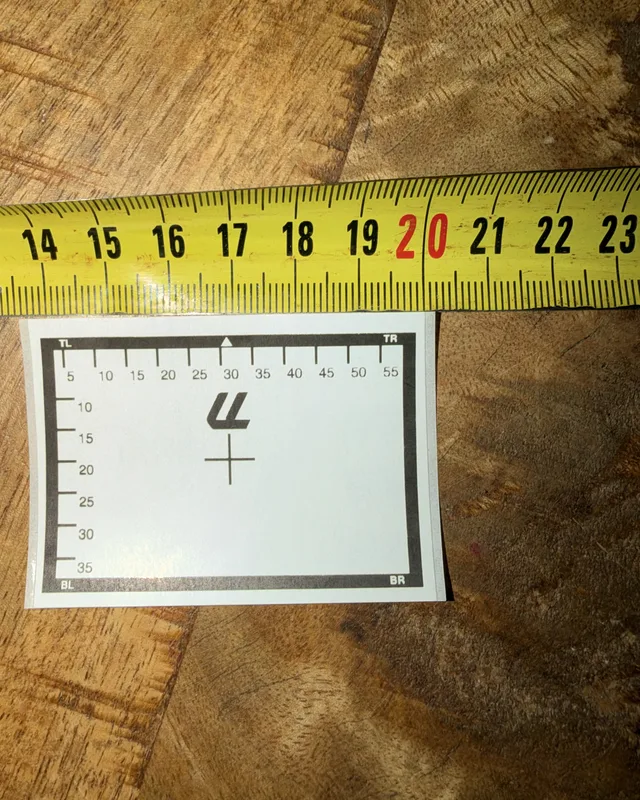
Two small labels side by side and a label that started too low
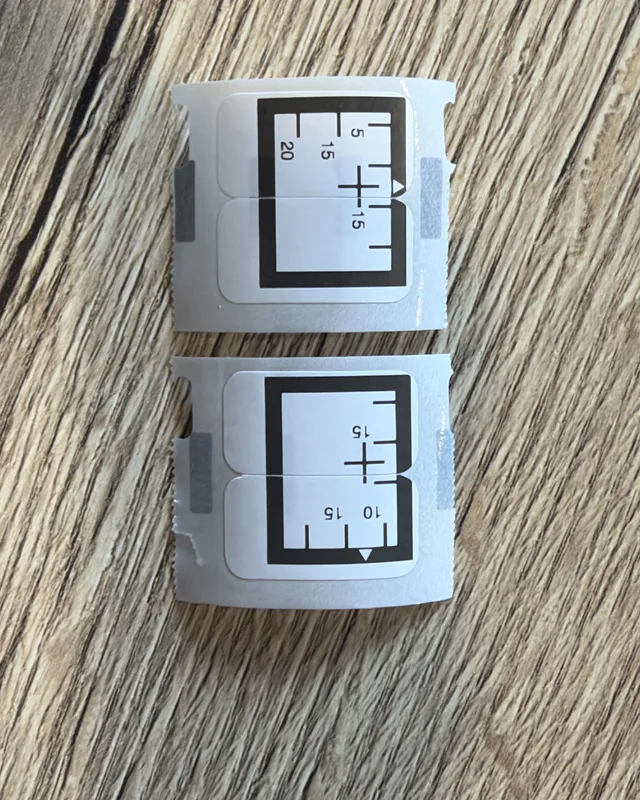
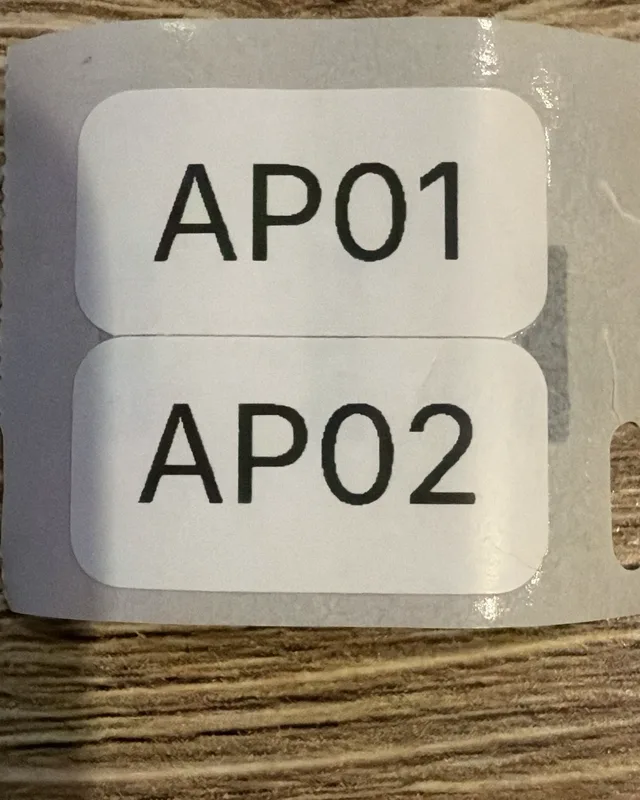
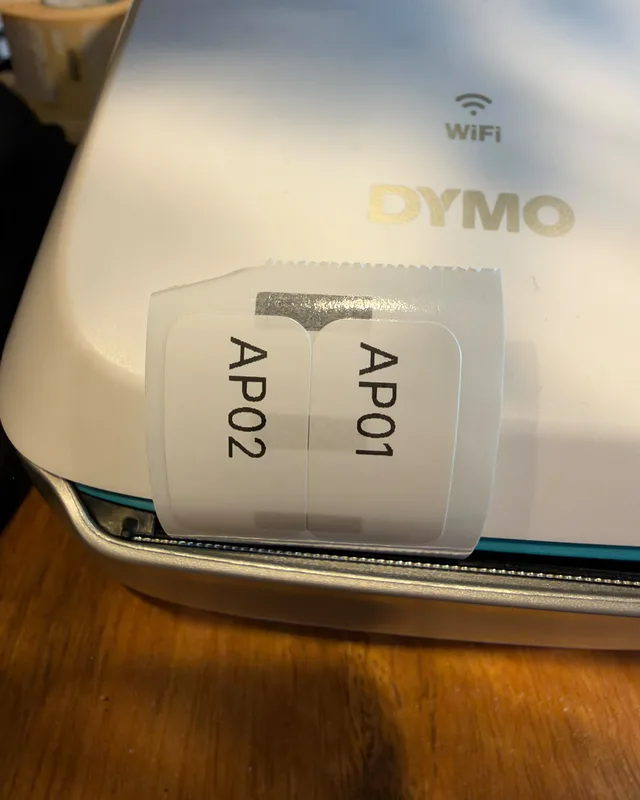
At Kay's I ran into a special label again: a split label. The DYMO 11353, with two small labels side by side on one sheet. In DYMO Connect he had turned them into sequential numbers: A001 and A002 side by side, jumping by two each time.
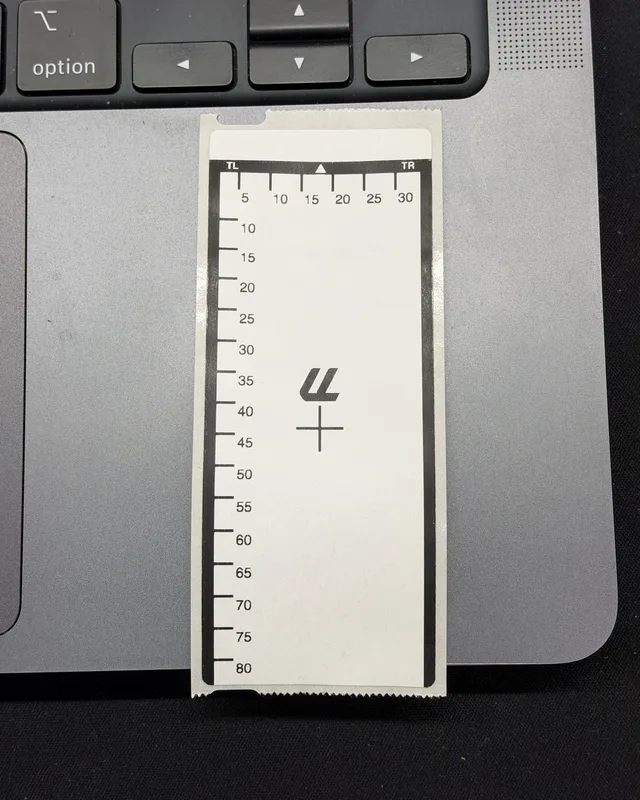
And on the DYMO LabelWriter 550 Turbo something odd happened too. The print started about 5.7 mm too low and suddenly cut off a big chunk of the label. I thought: how does that happen?
What changed in LumenLabel afterwards
That test day led straight to changes. In LumenLabel 0.6.8 I fixed the 5.7 mm offset on the DYMO LabelWriter 550 Turbo. Since that version, LumenLabel also prints two labels side by side on split labels, and the counter has a step size so you can number A001, A003 and so on.
More followed in version 0.6.9. The 11353 sheet now sits neatly in the middle. The counter panel shows how many labels you get and how often each number prints. On the DYMO LabelWriter Wireless, a print run now goes through in one connection, and a busy printer just reports that it is busy.
Kay uses BarTender as the system for his labels, and we talked about how he uses his printers within that system. I am now looking at whether I can build database connections and automation into LumenLabel as well.
During the visit I noticed it took quite a while to read out each printer. I would really like something in LumenLabel I can just click: read out.
A message on the drive home
Driving home in my van. I just got a message from Kay. He wrote a really nice post on Reddit about me and the experience. Really super, super nice. And he left a Google review too. That is really valuable. Such a great guy.
I really have the confidence that I can build something good here. Someone is rooting for you, that goodwill is really there.
Kay just supports me really well too. He promotes LumenLabel. And he gives very clear, targeted feedback about using the app and what it does. Part of 0.6.9 came straight from that, like the improvements for his DYMO LabelWriter Wireless and the counter panel. I really appreciate that.
What I learned for the next visit
I really had a lovely day and learned a lot. I am really over the moon about the day. Next time I visit someone with several printers, I want to look up the manuals first and build the drivers beforehand. So almost everything is already ready. Then on site it is just printing and testing.
The day at a glance
- Host
- Kay at ICTWebSolution B.V.
- Place
- Beautiful location with a lovely office, workbench and stock room
- Printers tested
- Seven printers from DYMO, Brother and Zebra
- Connections
- USB, wired network and wifi
- Updated in LumenLabel
- Versions 0.6.8 and 0.6.9
- Lesson for next time
- Look up manuals and build drivers beforehand, only print and test on site
Test with your own printer
- 1
Download LumenLabel on your Mac or Windows PC.
- 2
Connect your label printer over USB, or add it over your network or wifi.
- 3
Pick your label size and print one test label to check alignment and sharpness.
Questions about multiple printers and network printers
Can I use several label printers at once in LumenLabel?
Yes. You can keep DYMO, Brother and Zebra printers connected side by side, each with its own label size, and pick the one you need when printing.
Does LumenLabel work with network and wifi printers?
Yes. At Kay's we tested the Zebra GK420d, Zebra ZD410 and Brother QL-1110NWB over the network, and the DYMO LabelWriter Wireless and Brother PT-P750W over wifi.
Can I set a fixed IP address on a network printer?
On Kay's Zebra ZD410, yes. Setting a fixed IP address and switching back to automatic both worked from LumenLabel.
What happens if a network printer is already busy?
Since LumenLabel 0.6.9, a print run on the DYMO LabelWriter Wireless goes through in one connection, and a busy printer reports that it is busy.
Test LumenLabel on your own desk
Try LumenLabel for seven days with your own printer, over USB or over the network. One test label tells you everything you need to know.